Product · Run the library · Lending and the desk
A desk any volunteer can run.
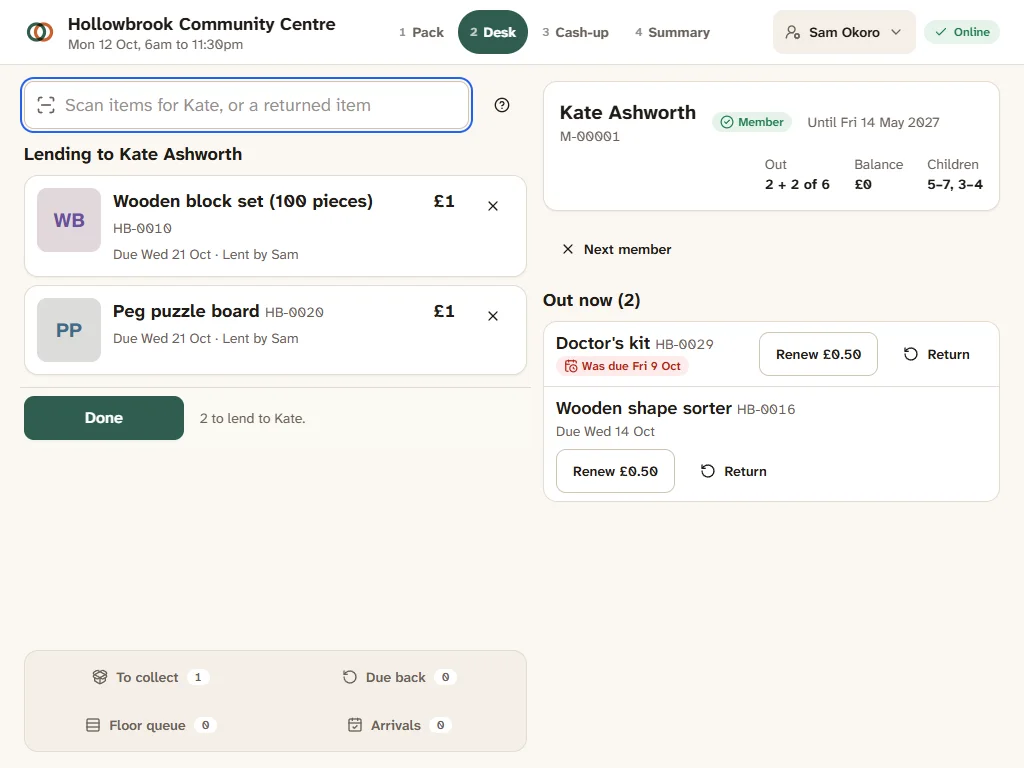
Each volunteer signs in with their own PIN on whatever laptop, tablet or phone is to hand. Click the family's name, tick what they take, count the pieces back in, and the cash tin is tallied before the hall keys go back.
What it does
Lending and the desk, built for how lending libraries work.
- Every plan
Click, tick, done
Click the family's name and tick what they are taking. Choose one, two or three weeks or a date, and the due dates are emailed to them. No scanner needed.
- Every plan
Their own PIN, any device
Each volunteer unlocks the desk with their own PIN on a laptop, Chromebook, tablet or phone the library has set up. No shared password, and a record of who lent what.
- Every plan
Every piece back
The desk asks for the count when a toy with pieces comes back. A missing piece stays recorded against the toy and the family until it turns up.
- Every plan
Reservations ready on the shelf
Families reserve for a session from home. A pick list says what to pull before the doors open, a waiting list takes over when everything is out, and Coming today shows who to expect.
- Every plan
Kits, party packs and the odd surprise
A kit or party pack goes out with all its parts and every one is checked back in. Something not catalogued yet can still be lent, and catalogued later.
- Standard and Plus
Pay by phone at the desk
Show a QR code and a parent pays by card on their own phone, into your library's own Stripe account. The cash-up counts it apart from the tin.
Plans and prices are on the pricing page.
One set of records
Connects to the rest of your library.
From the help library
See exactly how it works.
The help library explains each part of Gizzago in plain words, using the same names as the buttons. Read it before you decide.
Try it on your own library.
30 days free on any paid plan, with no card to start. Bring your records across from a spreadsheet or your current system, preview every row first, and undo for seven days if it is not right.